One view from asset
to action.
Operations teams see the asset, the signal, and the service work together. Technicians carry assigned tickets into the field.
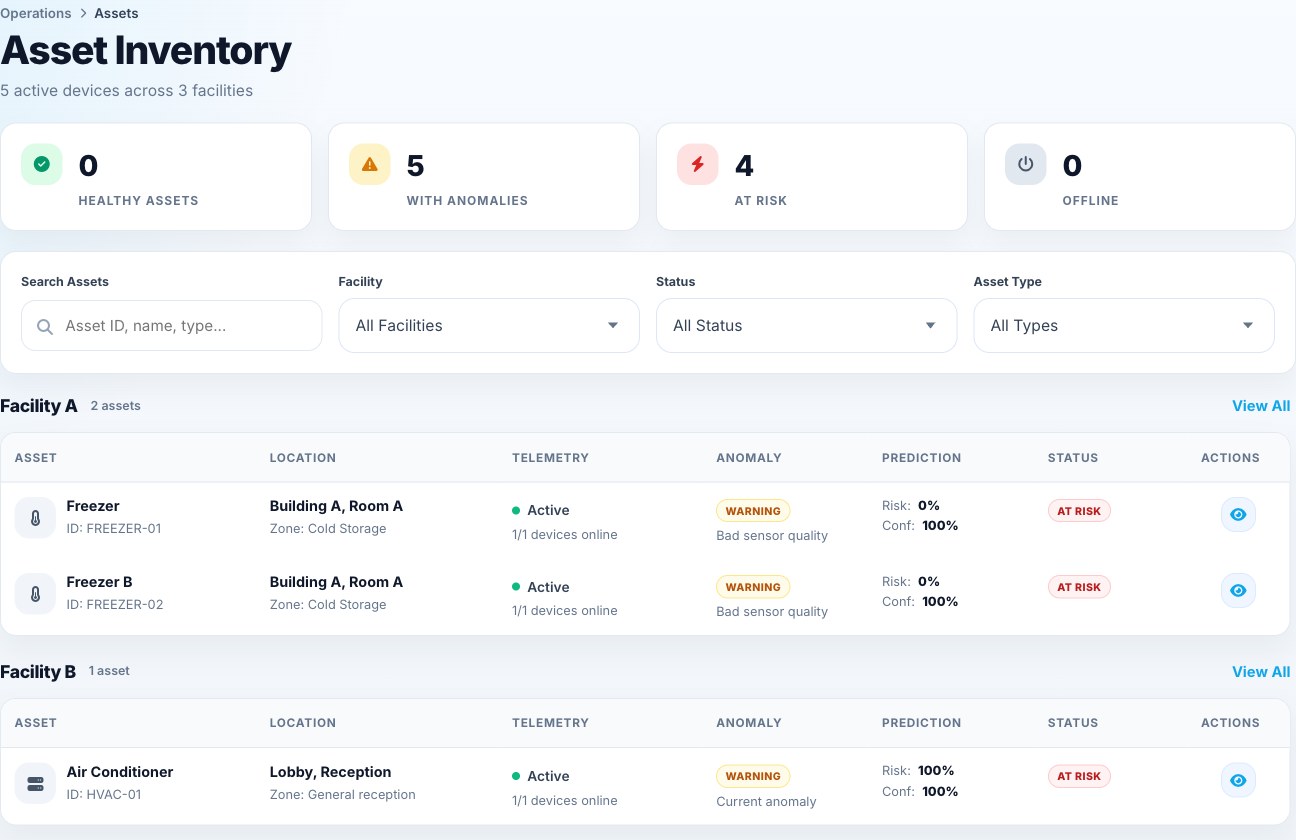
From model signal to informed action.
Explore an investigation- Detect and forecast
Learned telemetry baselines surface unusual conditions; prediction models assess risk across forecast horizons.
- Explore the evidence
When enabled, the workspace assistant helps operators ask why an investigation or prediction was raised and review its evidence.
- Your team
Reviews the context, assigns work when needed, and confirms the outcome.
See the signal.
Follow the work.
Move from a facility-wide view to the affected asset, then to the person handling the ticket.
Monitor equipment
Find the affected asset by facility and open its connected devices and recent readings.
- Telemetry Monitoring
- Equipment, connected devices, and readings in context.
- Anomaly Intelligence
- Unusual conditions surfaced alongside asset status.
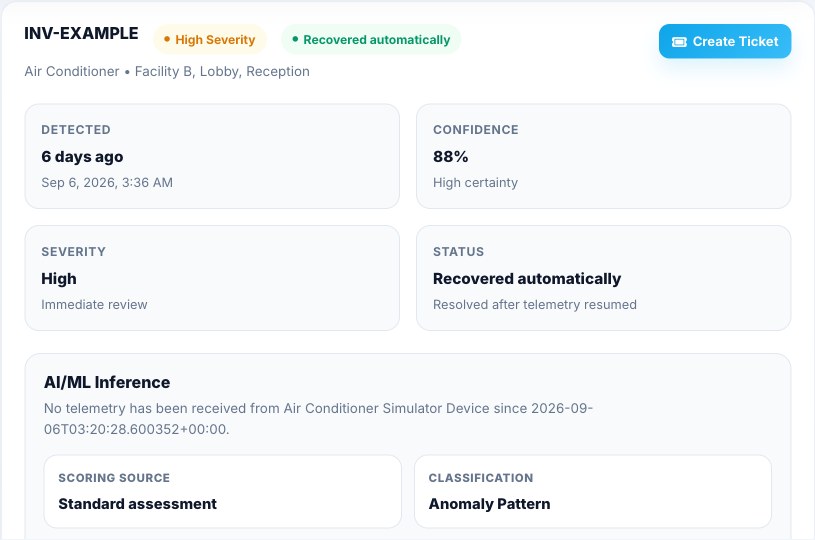
Investigate changes
Review the alert's evidence, severity, confidence, and current status before deciding what to do.
- Multi-Horizon Prediction
- Review forecast risk alongside current equipment conditions.
- Semantic Investigation
- Explore the issue with its equipment and telemetry context.
- Guided investigation
- Ask about evidence and possible next steps when the workspace assistant is enabled.
Coordinate maintenance
Assign the work, keep the fault evidence with the ticket, and see what the technician records on site.
- Proactive Alerts
- Bring relevant conditions to your team's attention.
- Operational Workflows
- Track responsibility and service-ticket outcomes.
- Technician app
- Review assignments and record work at the asset.
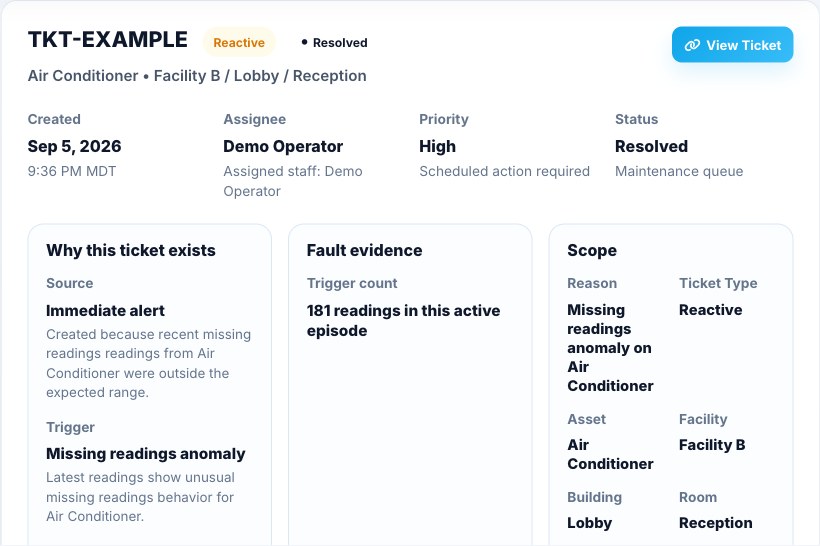
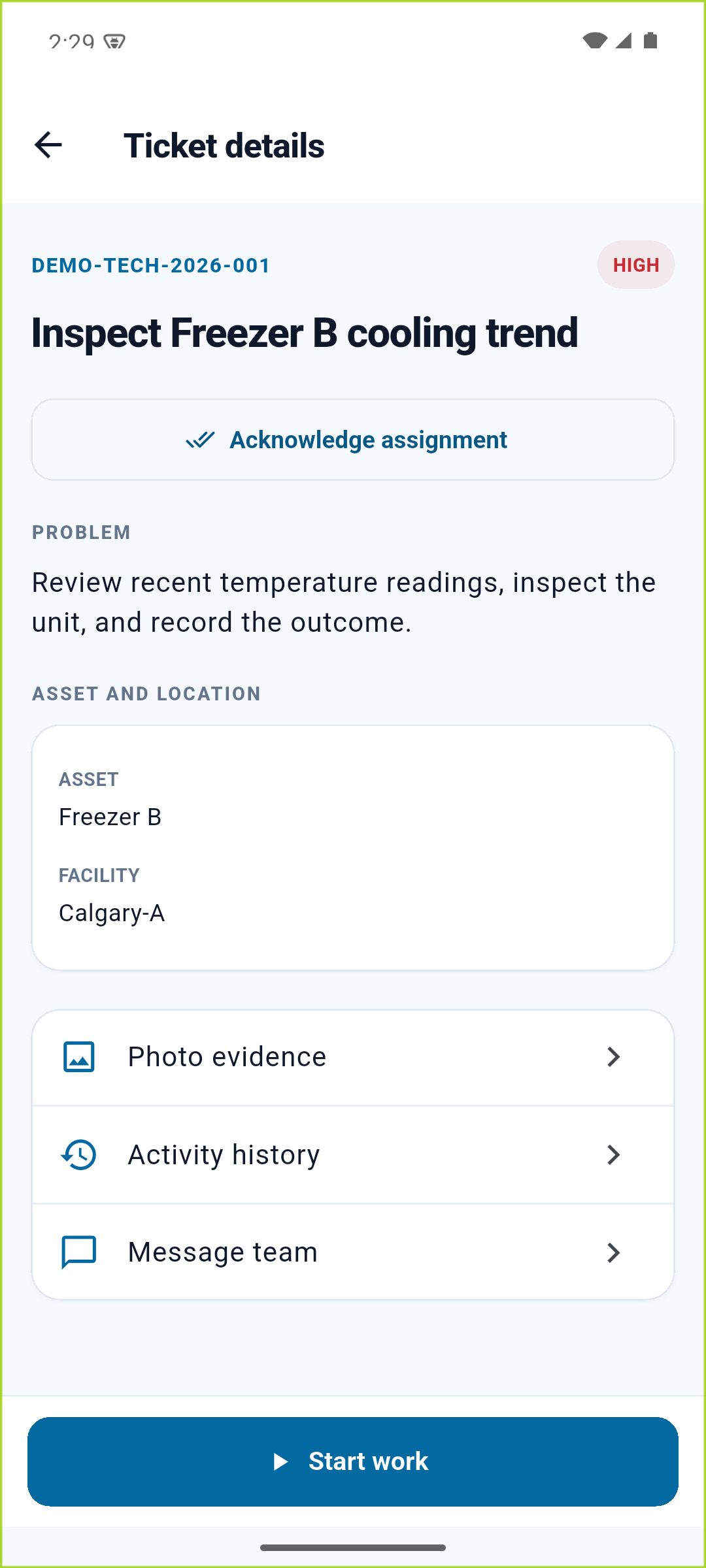
Customer dashboard and technician app. Actual interfaces, separate example cases. View app screen (opens in a new tab)
Dashboard screens use anonymized example data; the app screen uses a local demo ticket. Readings and statuses illustrate the interfaces, not measured customer results.
See the intelligence in context.
Bring an equipment issue to a demo. We will walk through the signal, supporting evidence, and the response your team controls.